Sampler Online — a Free Online Sampler & Sample Chopper in Your Browser
Shuffle Drummer has a full online sampler built right in: load your own audio, slice it, chop it, and play the pieces on pads — MPC-style, entirely in your browser. No download, no plugin, and free to try with no signup.
▶ OPEN THE SAMPLER — FREE
Load a sample · chop it · play it on pads · no install
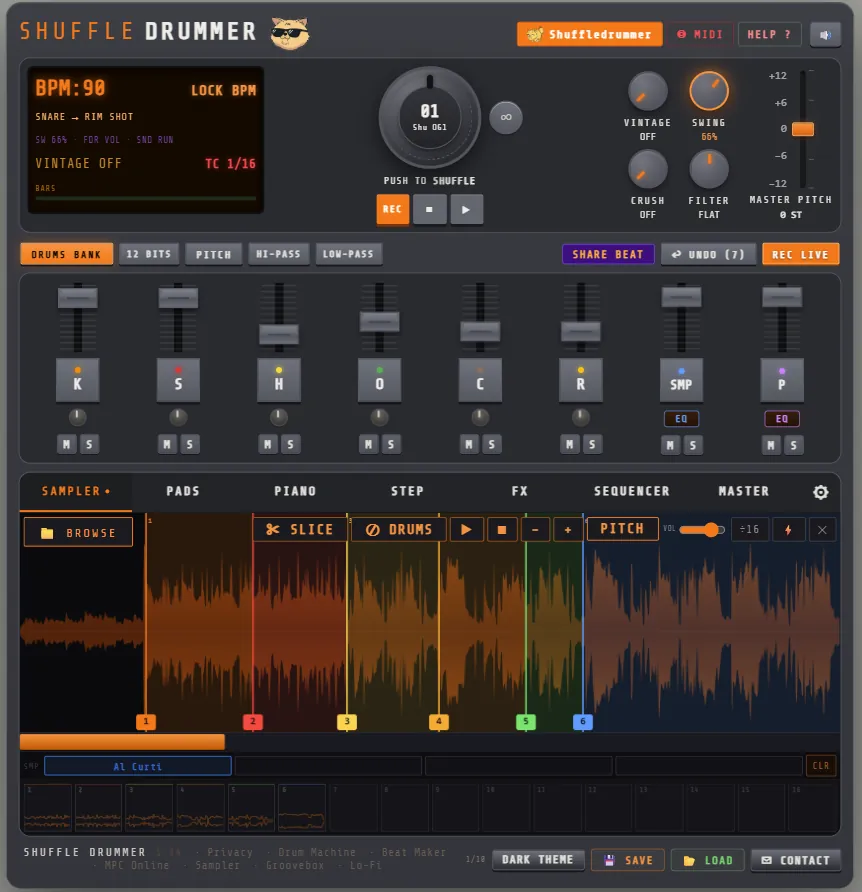
How to chop a sample online, in 4 steps
- Load your sound — hit BROWSE and pick a loop, a vinyl rip or a one-shot. WAV, MP3, FLAC, OGG, AIFF, M4A and Opus all work.
- Slice it — click on the waveform to drop markers where you want each chop, split the whole sample into 16 equal slices in one click, or snap the markers to the transients so every hit starts exactly on its attack. Zoom into the waveform to place each marker precisely.
- Play the chops on pads — every slice is mapped to a pad (up to 64 slices). Tap them, play them from a MIDI controller, and flip the order until the phrase sounds right.
- Sequence and export — lay your chops into the step sequencer next to the drums, add swing, then bounce the result to WAV stems or a full master for your DAW.
An online sample chopper that thinks like an MPC
Chopping is about feel, not menus. That's why the sampler keeps everything on one screen: waveform, colored slice regions, pads and sequencer. Each marker starts a chop that runs to the next marker, so what you see on the waveform is exactly what the pad plays. Retrigger, re-order and build a whole beat out of one flip — the way beatmakers have chopped on samplers since the 90s.
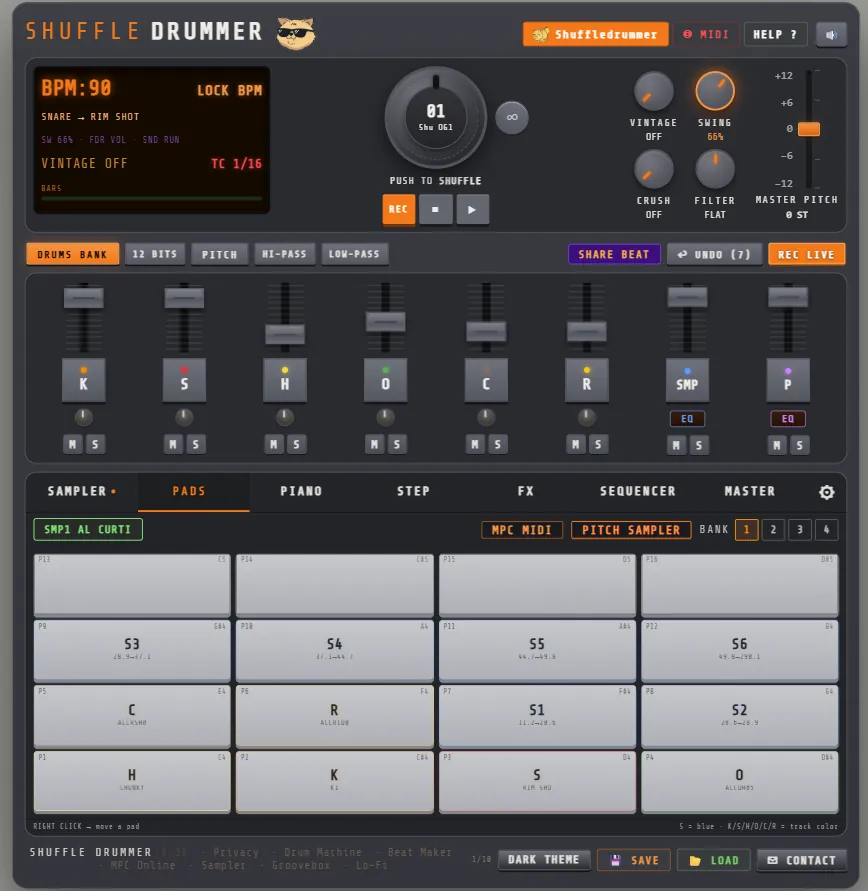
Remove the drums from any sample
Found a loop with the perfect chords but a drum track you don't want? The ⊘ DRUMS button separates the harmonic content (melody, bass, vocals) from the percussion and keeps only the harmonic layer, so you can play your own drums on top. It runs offline in your browser in a few seconds and can be undone in one click. It's a classic signal-processing separation, not an AI stem splitter: on dense mixes some residue stays, but it strips the beat well enough to rebuild the groove your way.
What the sampler does
- Slice & chop — manual markers, 16 equal slices, or snap to transients
- Up to 64 slices — mapped to pads, playable from the screen or a MIDI controller
- 4 sample slots — load four sounds and switch between them live
- Pitch — tune the sample up or down, chipmunk it or drop it low
- Remove drums — keep the melody, lose the beat
- Vintage & lo-fi color — bitcrush, tape emulation and vintage FX for dusty, boom-bap textures
- Sequence it — lay your chops into the step sequencer alongside the drums
- WAV export — bounce your flip to stems or a full master, straight into your DAW
Private by design
Your samples don't go to a server to be processed: decoding, slicing, drum removal and export all happen locally with the Web Audio API. That makes the sampler fast, and it means you can chop a record without uploading it anywhere. A project is only stored online if you choose to save it to your account.
Made for lo-fi, boom bap and beyond
The sampler was built by Mani Deïz, a French hip-hop producer making beats since 1998, with three friends. It's the sample-chopping workflow they always wanted — fast, tactile, and free. Pair it with the built-in online drum machine and its swing engine, or go straight to the lo-fi beat maker, and you've got a complete beat maker in one browser tab.
Frequently asked questions
- Can I chop and slice my own samples online?
- Yes — load any audio, place markers by hand, split into 16 or snap to transients, and play the chops on pads.
- Which audio formats can I load?
- WAV, MP3, FLAC, OGG, AIFF, M4A and Opus — anything your browser can decode.
- Can I remove the drums from a sample?
- Yes, with the ⊘ DRUMS button. It keeps the melody, bass and vocals; on dense mixes a little residue remains.
- Is the online sampler free?
- Yes. Loading, chopping and playing are free with no signup; a free account unlocks saving and WAV export.
- Does it work on mobile?
- Yes, it's 100% Web Audio API and runs in your browser on desktop and mobile.